




Introduction

This watch face was my first project for Garmin devices and my first project written in Garmin's Monkey C programming language.

Features

The watch face comes with five different backgrounds, and you can choose from several font styles for the date, time, and text.
In addition, every color can be customized individually.
I created the background of the main "Dark Blue" theme in Krita. Other available themes include "Fire & Ice" and "Blue Screen of Death".
Another unique feature is the ability to freely position every widget or hide it completely.
Depending on the watch settings, the watch face supports both 12-hour and 24-hour time formats, distance displayed in kilometers or miles, and current, minimum, and maximum temperatures in °C or °F.
The date is available in all 26 languages supported by Garmin. These include languages using the Latin alphabet (e.g. English or German), the Cyrillic alphabet (e.g. Ukrainian or Russian), the Greek alphabet, as well as languages using logograms (e.g. Chinese, Japanese, or Thai).

Another special feature is the custom font that I designed specifically for displaying the time. It consists exclusively of the digits 0–9 and the letters A, M, and P.
Every icon used in this watch face was created entirely by me.
This includes color-customizable icons, for which I also developed a dedicated icon font. Each icon is mapped to its own character, allowing the Garmin SDK's built-in font engine to color the icons.
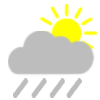
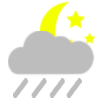
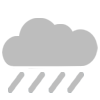
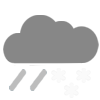
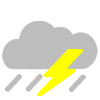
In addition, I created 18 weather icons for displaying the current weather conditions.













The watch face is available free of charge from the Garmin Connect IQ Store for Garmin Venu® Sq, Garmin Venu® Sq Music, Garmin Venu® Sq 2, Garmin Venu® Sq 2 Music, and Garmin Venu® X1.